
Jump to Content
ID Analyzer v2GuideAPI Reference
GuideAPI Reference
GuideAPI ReferencePortalID Analyzer v2
Guide
Portal
GuideAPI Reference

Getting Started

  • ID Analyzer API: The Complete Identity Verification & KYC Developer Guide
  • Obtaining API Key
  • API Endpoint
  • API Authentication
  • First ID Verification API Call
  • Web Portal Debugger
  • Supported Documents

Docupass

  • DocuPass Overview
  • DocuPass Quickstart

KYC Profiles

  • KYC Profiles Overview
  • Thresholds
  • Restrictions
  • Decisions

API Response

  • Response Codes
  • Data Fields
  • Validations & Warnings
  • Audit Report
  • Webhook

API Reference

  • ID Verification API
  • DocuPass API
  • Biometric API
  • AML API
  • Document Automation API
  • Transaction API

Tutorials

  • Docupass identity validation and remote signature signing using PHP
  • Realtime Identity Card Recognition Using Webcam
  • Building an AML Compliance Web App

Client Libraries

  • Quick start with client library
  • .Net
    • Profile
    • Biometric
    • Contract
    • Scanner
    • Transaction
    • Docupass
  • PHP
    • Preparation
    • Profile
    • Biometric
    • Contract
    • Scanner
    • Transaction
    • Docupass
  • Node.JS
    • Profile
    • Biometric
    • Contract
    • Scanner
    • Transaction
    • Docupass
  • Python
    • Profile
    • Biometric
    • Contract
    • Scanner
    • Transaction
    • Docupass

On-Premise

  • Overview
  • System Requirement
  • Installation Guide
  • On-Premise API Reference
Powered by 

Transactions

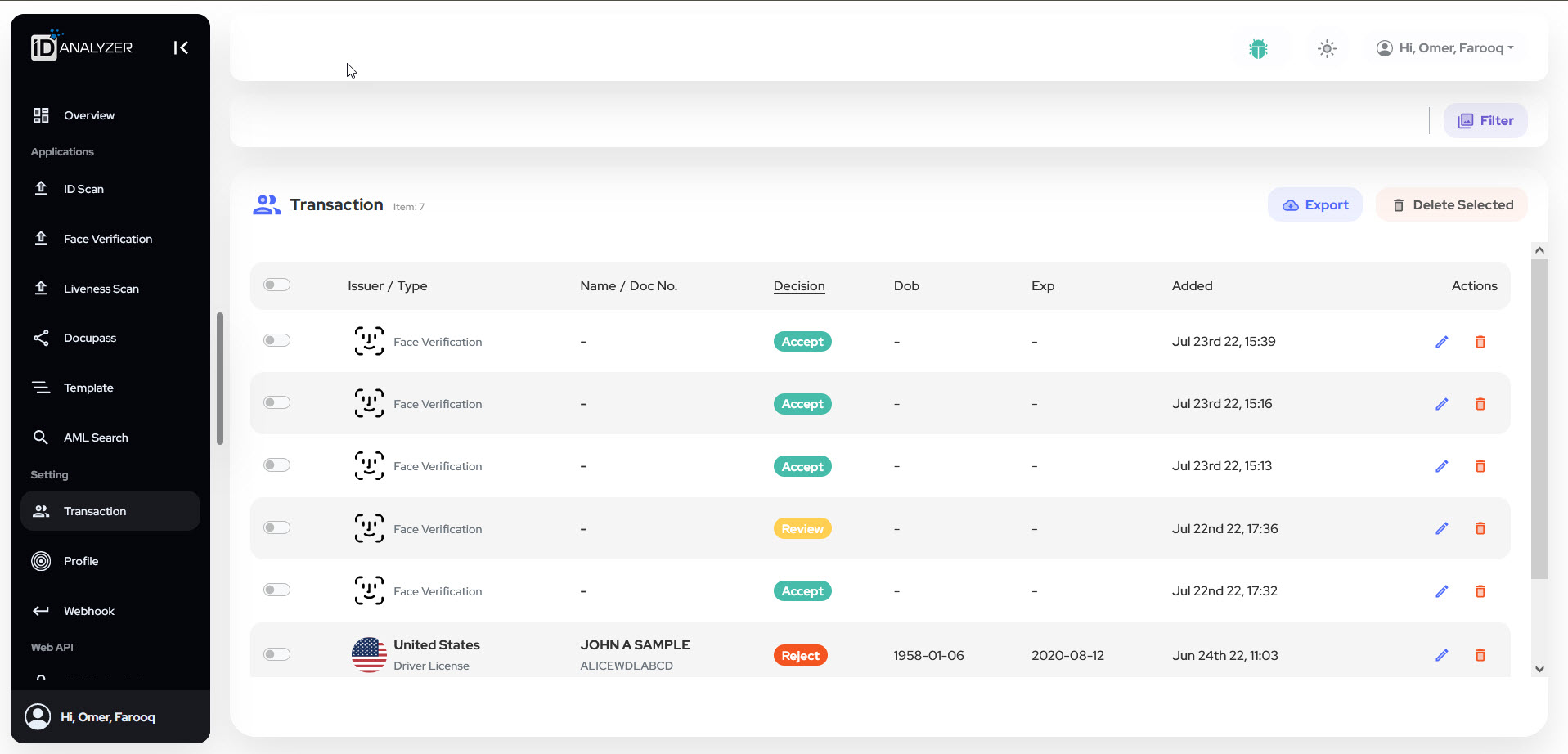
Every check against a document or face performed within ID Analyzer API is associated with a transaction that can be retrieved, edited, deleted, or exported using endpoints under Transaction API. Additional endpoints are available to download the output image. The ID Analyzer Portal has the below GUI where the user can view and take actions over the available transactions.
Updated about 2 years ago